

Configuring Alerts
Some parts of the platform can alert you of changes, such as new devices in a location, or changes to behaviours of a device.
We currently support two methods of alerts, Slack and Email. Notifications are configured in the settings page.
Slack
You can set up alerts via Slack by selecting Slack from the drop down and clicking Add to Slack.
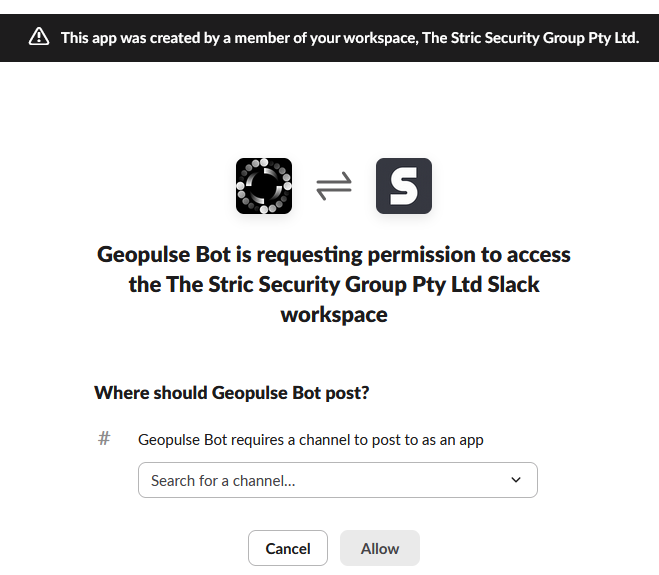
You'll be redirected to Slack to authenticate, and once authenticated, you can select which channel to post alerts to, shown below:
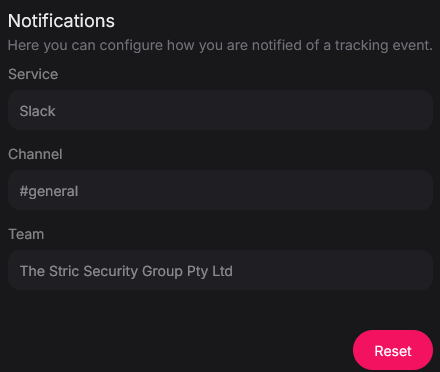
Once configured successfully, you'll be shown the destination for alerts.
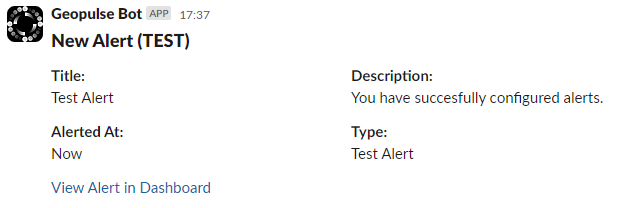
You'll see a test alert sent to Slack to verify the configuration works properly.
Email
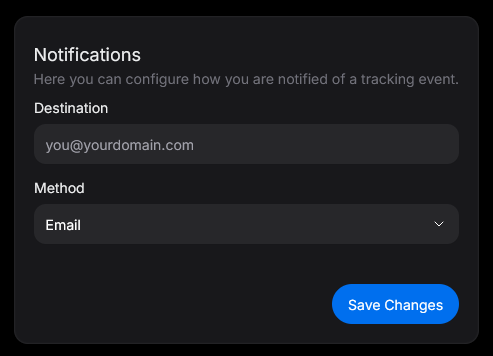
You can set up alerts via Email by selecting Email from the drop down.
Signal
You can set up alerts via Signal by selecting Signal from the drop down. When you enter a Signal-enabled phone number, a group called Geopulse Alerts will be created, and you will be invited. You'll be made an administrator of the group so you can add additional member.
Remove Configuration
You can unset the notification configuration by clicking Reset.