
الاستفسارات الأساسية
الدليل التالي يوضح لك كيفية تسخير خاصية الخريطة الجغرافية للعثور على الأجهزة.
يجب عليك تصفية أوقات البدء والنهاية لكي يكون أي استعلام صحيحاً.
A blue point plotted on the map signifies an device event, you can click the event for more information.
البحث عن مكان للاهتمام
To navigate the map to a specific address, search it in the top left. An autocompelete prompt will pop up, once an address is clicked, the map will navigate there.
البحث عن طريق معرف الجهاز
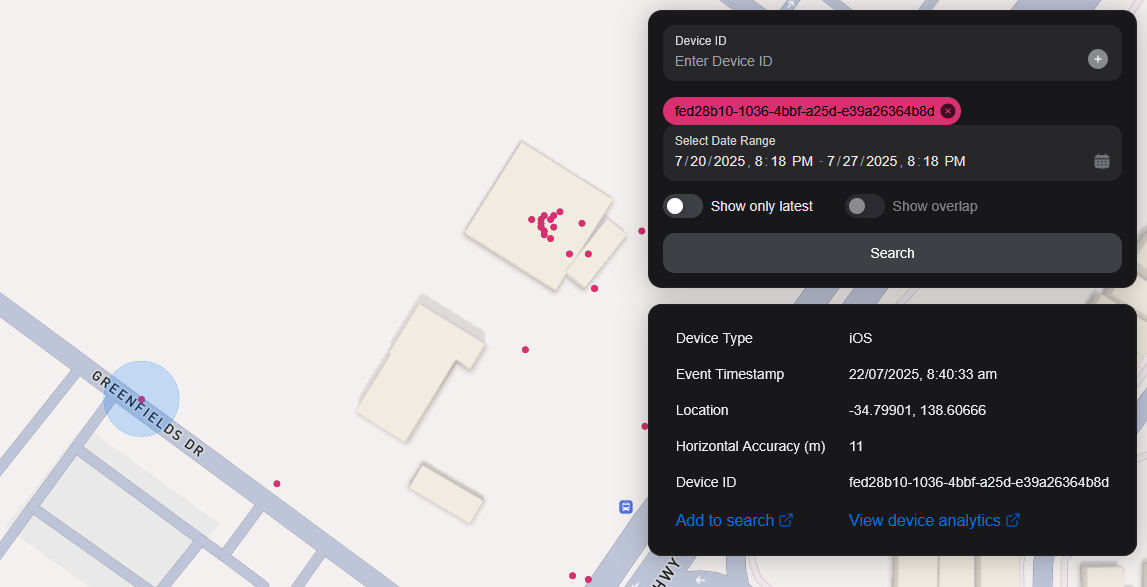
You can search the map by specifying multiple Device IDs in the top right hand filter. Each time you enter a Device ID it will be assigned a unique colour. This colour is persistent. Note: if you have a geobox defined, it'll only query inside that.
<br />
البحث بواسطة Geobox
يمكنك البحث عن صندوق جيولوجي واحد أو أكثر للكشف عن الأجهزة في تلك الصناديق.
الرسم
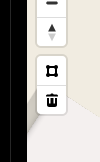
You can draw these boxes (polygons) by clicking the square above the bin on the left menu.
<br />
This will allow you to click points on the map to draw a polygon shape. To finish drawing this shape, click the first point and the box will turn light blue.
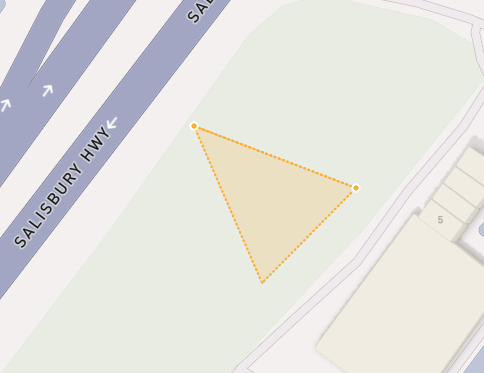
 <small><i>Partially finished shape</i></small>
<br />
<br />
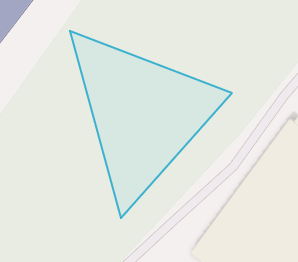
 <small><i>Finished shape</i></small>
<br />
<br />
A polygon can be in whatever shape you desire, for example, you can draw complex shapes around a place of interest for high accuracy.
To remove a polygon off the map, click it and then click the bin icon.
إزالة
لإزالة العلبة الجغرافية يمكنك النقر عليها، لذا فهي برتقالية بارزة وانقر على أيقونة بن بن في القائمة اليسرى.
Show only latest
When you click Show only latest only the latest event per device in the query area is shown.
إظهار التداخل
When you draw two or more geoboxes, the Show Overlap switch will enable. When this is clicked, the results will only show devices present in each of the geoboxes.
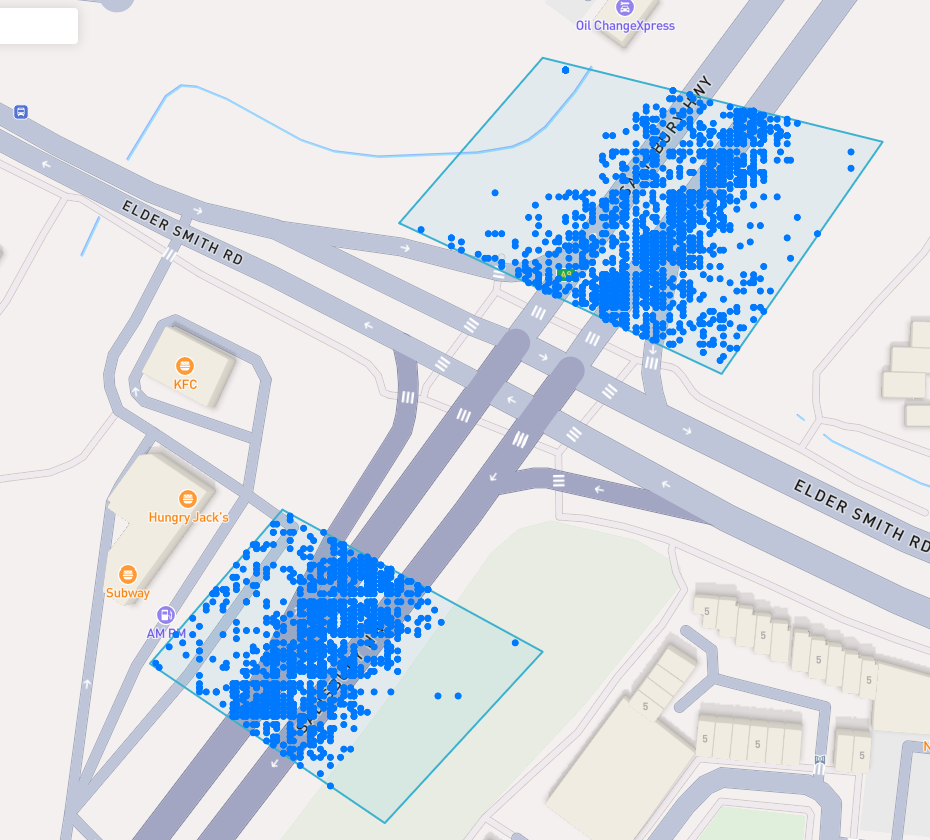
 <small><i>Overlapped Results</i></small>
<br />
<br />
Interperting Results
Each event contains information, such as Lat/Lon, Event Time, Horizontal Accuracy, IP Addresses (v4/v6). This event context is shown on the right pane, when you click on an individual device. In addition, an event's horizontal accuracy is shown as a light blue circle around the event.
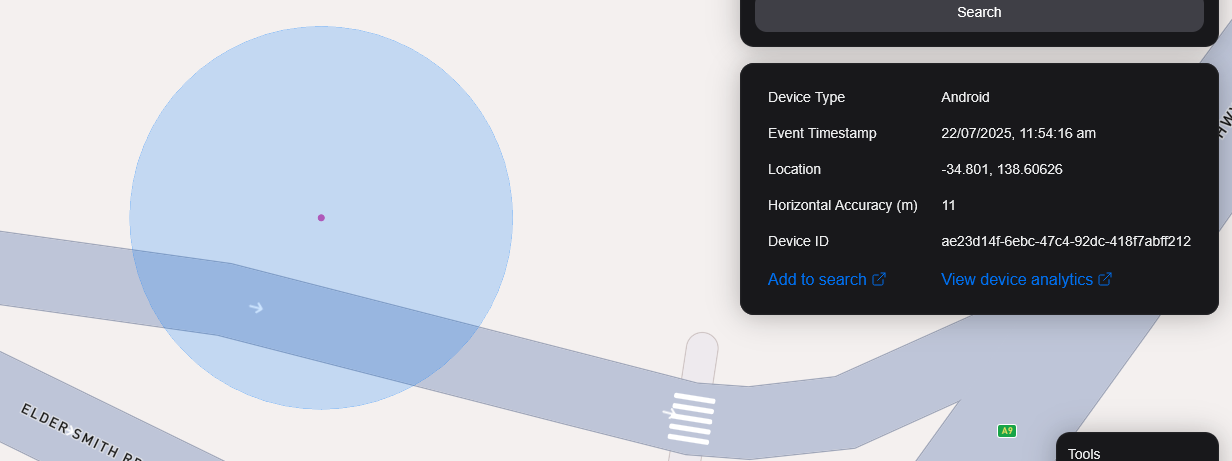
 <small><i>Horizontal Accuracy and Event Context</i></small>
<br />
<br />
تصدير النتائج
You can export results from the map by clicking the Export Results button under the Search button. This will export a .csv file containing all the results with the following headers: Device ID,Device Type, Event Time, Latitude, Longitude, IP Address (v4), IP Address (v6).
عرض القمر الصناعي
نحن حاليا لا ندعم عرض الساتل في الخريطة، ولكن في خارطة الطريق لدينا لدعم صور الساتل Sentiel-2 شبه الواقعية.
ونخطط أيضا لإطلاق ميزة تسمح لمستخدمينا بتكليف الأقمار الصناعية بجمع الصور عبر منطقة مستهدفة.