
Query Di Base
La seguente guida mostra come sfruttare la funzione Geopulse Map per trovare i dispositivi.
È necessario filtrare i tempi di inizio e di fine affinché ogni query sia valida.
A blue point plotted on the map signifies an device event, you can click the event for more information.
Trova un luogo di interesse
To navigate the map to a specific address, search it in the top left. An autocompelete prompt will pop up, once an address is clicked, the map will navigate there.
Cerca Per Id Del Dispositivo
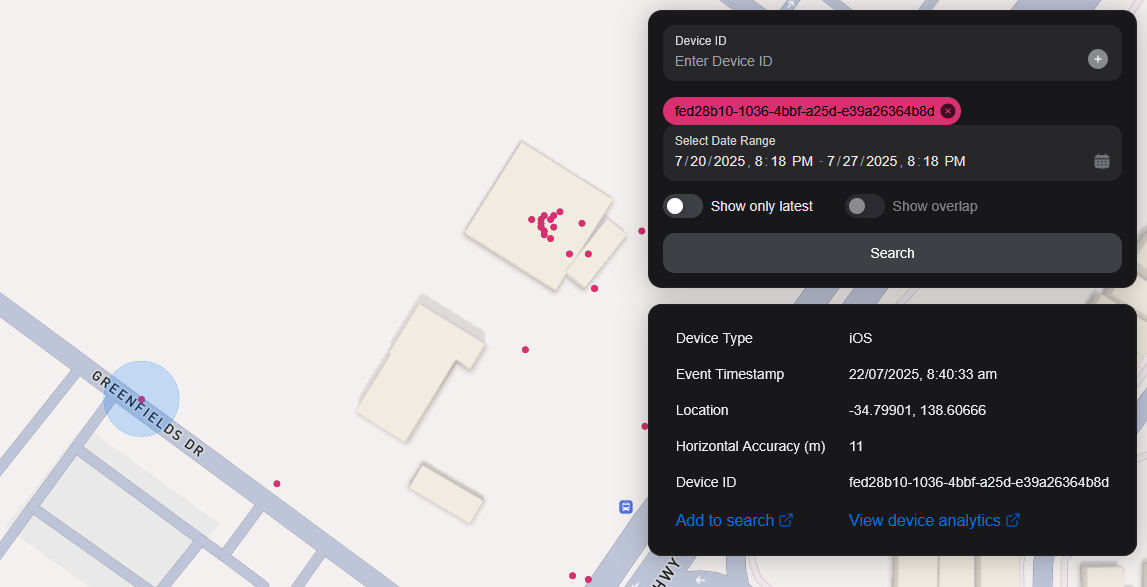
You can search the map by specifying multiple Device IDs in the top right hand filter. Each time you enter a Device ID it will be assigned a unique colour. This colour is persistent. Note: if you have a geobox defined, it'll only query inside that.
<br />
Ricerca Per Geobox
È possibile cercare uno o più geobossi per rivelare i dispositivi in quelle scatole.
Disegno
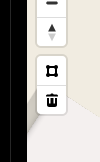
You can draw these boxes (polygons) by clicking the square above the bin on the left menu.
<br />
This will allow you to click points on the map to draw a polygon shape. To finish drawing this shape, click the first point and the box will turn light blue.
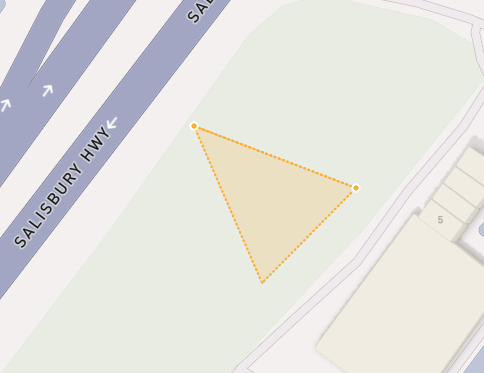
 <small><i>Partially finished shape</i></small>
<br />
<br />
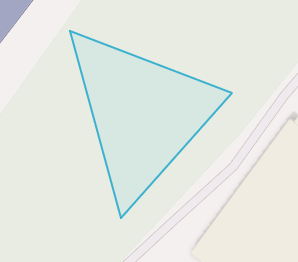
 <small><i>Finished shape</i></small>
<br />
<br />
A polygon can be in whatever shape you desire, for example, you can draw complex shapes around a place of interest for high accuracy.
To remove a polygon off the map, click it and then click the bin icon.
Rimozione
Per rimuovere un Geobox è possibile fare clic su di esso, quindi è evidenziata arancione e fare clic sull'icona del contenitore nel menu a sinistra.
Show only latest
When you click Show only latest only the latest event per device in the query area is shown.
Mostra Sovrapposizione
When you draw two or more geoboxes, the Show Overlap switch will enable. When this is clicked, the results will only show devices present in each of the geoboxes.
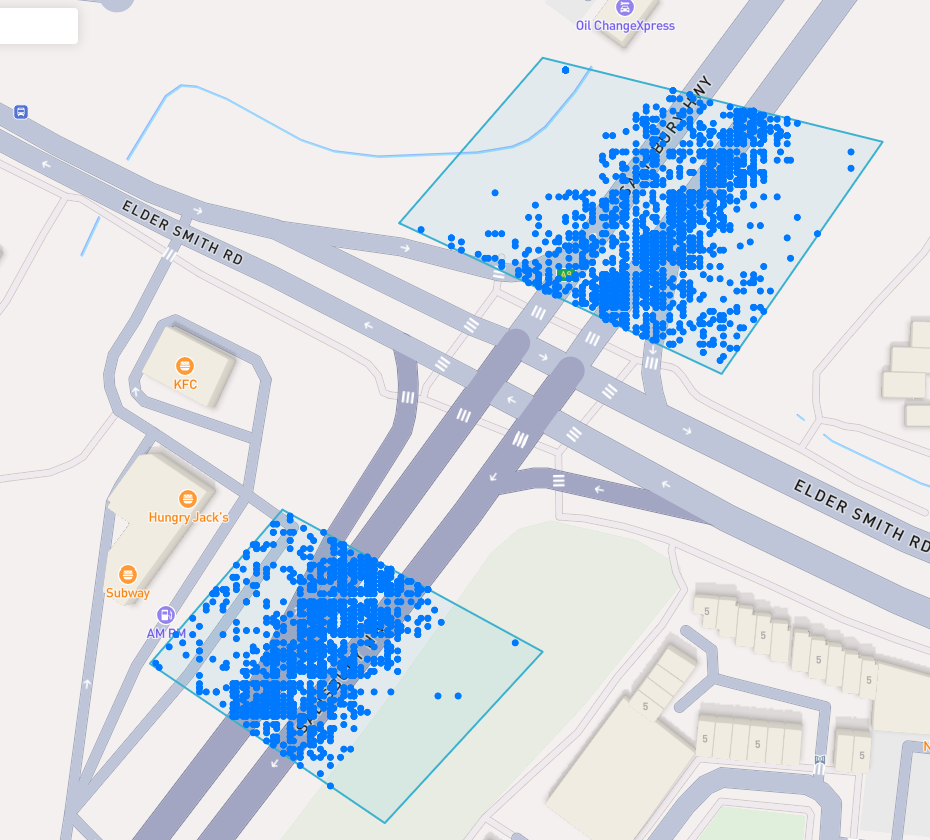
 <small><i>Overlapped Results</i></small>
<br />
<br />
Interperting Results
Each event contains information, such as Lat/Lon, Event Time, Horizontal Accuracy, IP Addresses (v4/v6). This event context is shown on the right pane, when you click on an individual device. In addition, an event's horizontal accuracy is shown as a light blue circle around the event.
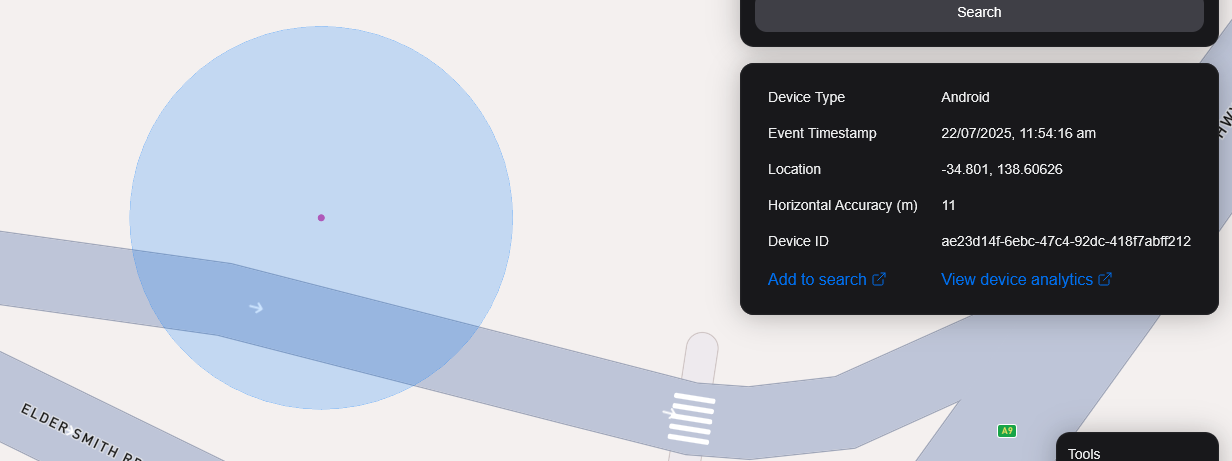
 <small><i>Horizontal Accuracy and Event Context</i></small>
<br />
<br />
Esporta Risultati
You can export results from the map by clicking the Export Results button under the Search button. This will export a .csv file containing all the results with the following headers: Device ID,Device Type, Event Time, Latitude, Longitude, IP Address (v4), IP Address (v6).
Vista Satellitare
Attualmente non supportiamo la vista satellitare nella mappa, tuttavia, è nella nostra tabella di marcia per supportare l'immagine satellitare Sentiel-2 in tempo reale.
Abbiamo anche in programma di rilasciare una funzione per consentire ai nostri utenti di task satelliti per raccogliere immagini su un'area di destinazione.